
Introduction #
Ezhance is a powerful WooCommerce promotion engine that allows merchants to create flexible discount campaigns, bulk pricing offers, BOGO promotions, cart discounts, and customer reward programs.
Instead of combining everything into a single configuration screen, Ezhance separates promotions into logical stages, making campaigns easier to create, understand, and manage.
Every promotion follows the same workflow regardless of complexity.
Promotion Workflow #
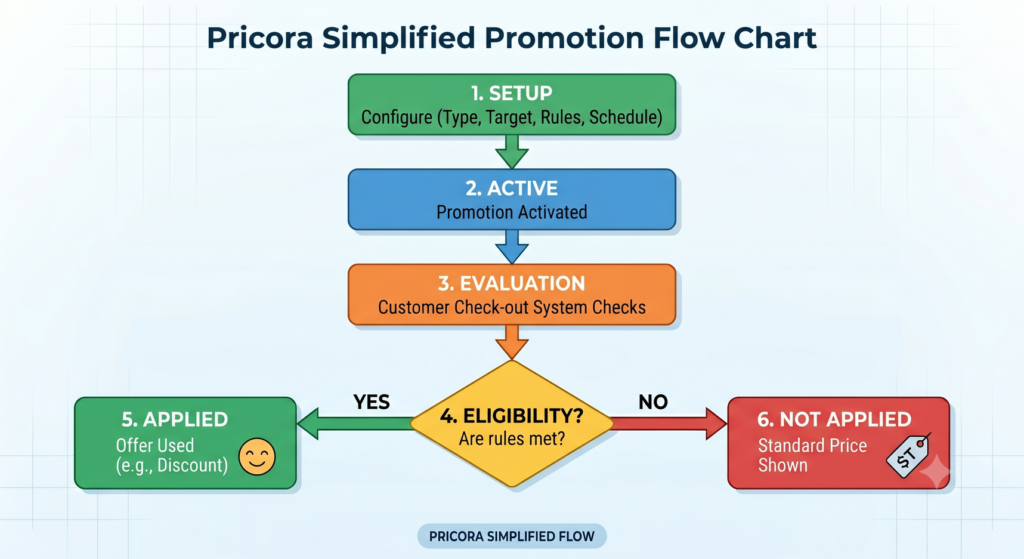
Every promotion in Ezhance follows the workflow below:
Promotion Type → Target Selection → Eligibility Rules → Display Components → Schedule → Active Promotion
Each step controls a different aspect of how the promotion behaves.
Step 1: Choose a Promotion Type #
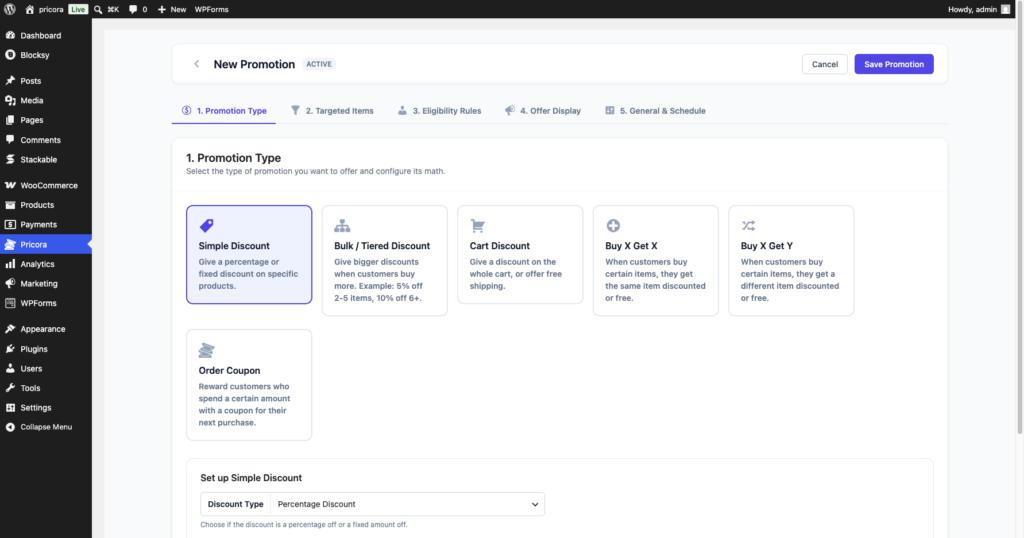
The promotion type determines what reward or discount will be applied when a promotion becomes eligible.
Available Promotion Types #
Free Version #
- Simple Discount
- Bulk Discount
Pro Version #
- Cart Discount
- Buy X Get X
- Buy X Get Y
- Order Coupon
Examples #
- 20% off selected products
- Buy 2 Get 1 Free
- Spend $100 and receive $10 off
- Receive a coupon after placing an order
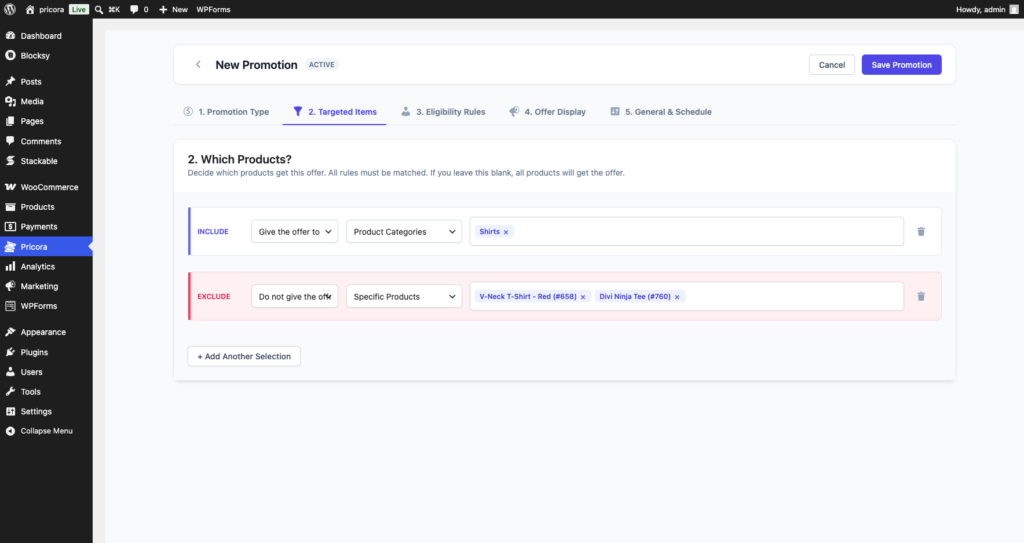
Step 2: Select Targets #
Targets determine which products are affected by the promotion.
Free Version #
- Specific Products
Pro Version #
- Product Categories
- Product Attributes
- Product Tags
- Items On Sale
Examples #
- Apply to Coffee Mugs
- Apply to Kitchen Products
- Apply to Summer Collection
- Apply to Sale Products
Step 3: Configure Eligibility Rules #
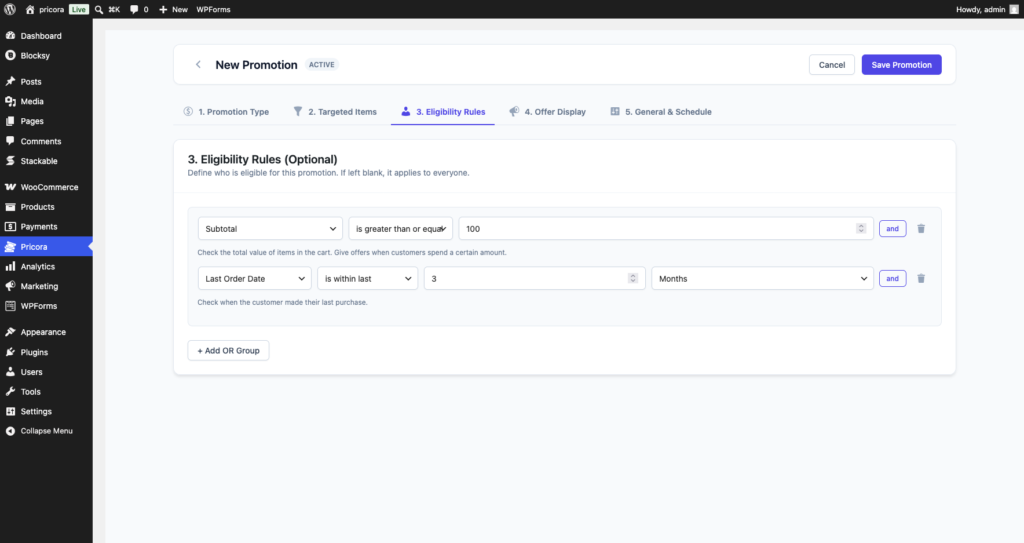
Eligibility Rules determine when a customer qualifies for a promotion.
If no eligibility rules are configured, the promotion applies to everyone.
Available Rule Groups #
- Cart Rules
- Cart Item Rules
- Customer Rules
- Purchase History Rules
- Billing Rules
- Shipping Rules
- Shop Rules
Examples #
- Cart subtotal greater than $100
- Customer role equals Wholesale
- Customer has ordered before
- Shipping country equals United States
- Current date is within a promotional period
Step 4: Configure Display Components #
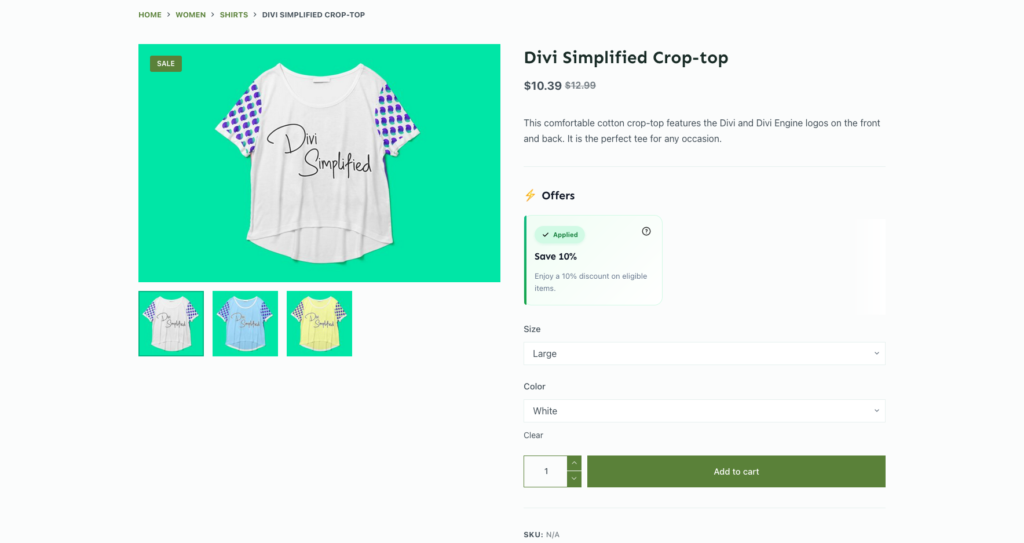
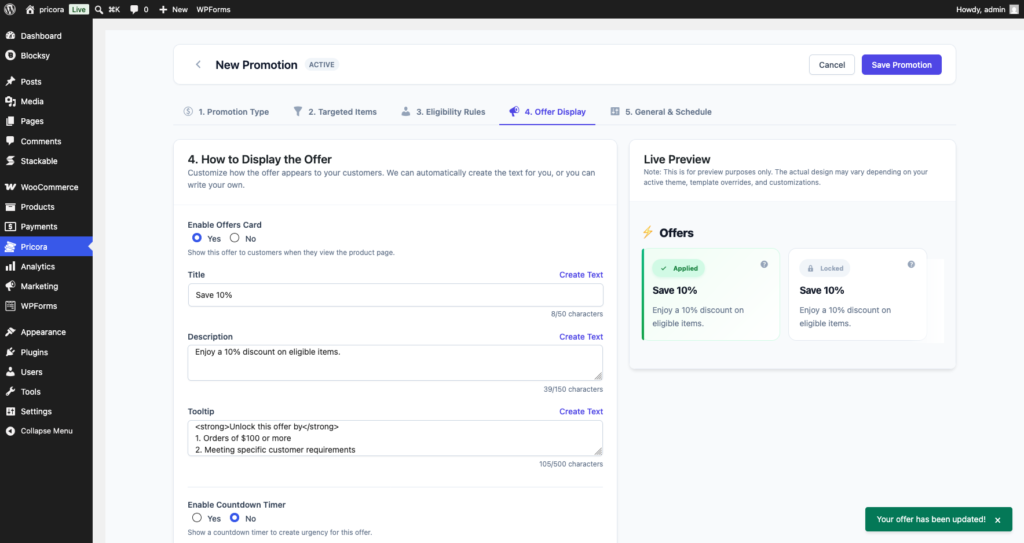
Display Components communicate promotions to customers throughout the shopping experience.
Available Display Components #
- Offer Card
- Tier Pricing Table
- Cart Offer Display
- Countdown Timer
- Progress Message Card
- Savings Message
- BOGO Product Card
Examples #
- Display a bulk pricing table
- Show a countdown timer
- Display customer savings
- Show progress towards free shipping
Step 5: Configure Schedule Settings #
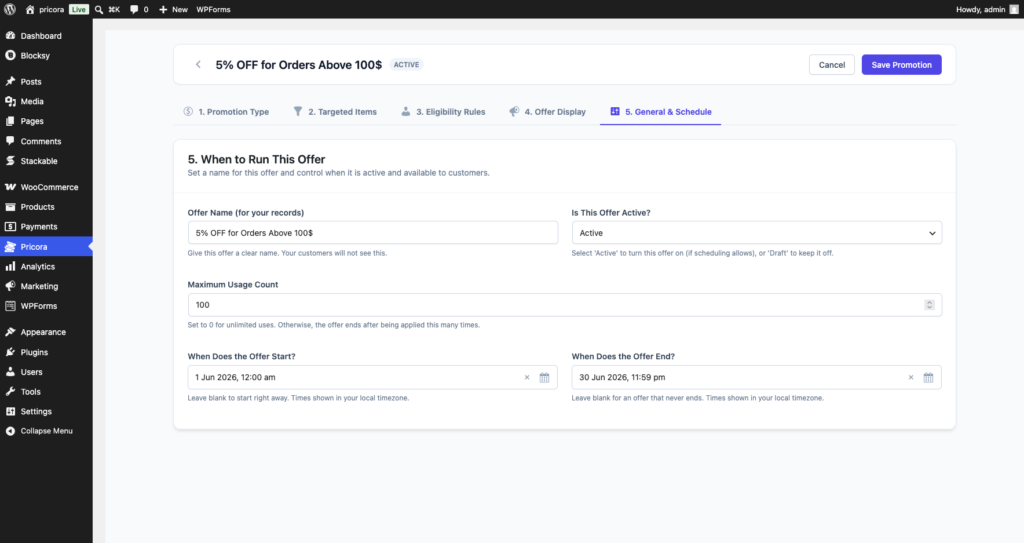
Schedule settings determine when promotions become active.
Available Options #
- Start Date
- End Date
- Priority
- Usage Limits
Examples #
- Weekend Sale
- Black Friday Campaign
- Seasonal Promotion
- Limited-Time Offer
Promotion Evaluation Process #
When a customer visits your store, Ezhance evaluates promotions using the following process:
- Active promotions are loaded.
- Targets are matched.
- Eligibility rules are evaluated.
- Promotion priority is determined.
- Discounts are calculated.
- Display components are rendered.
Only promotions that satisfy all requirements are applied.
Example Promotion #
The following example demonstrates a complete promotion configuration.
Configuration: #
- Promotion Type: Simple Discount
- Discount: 20%
- Target: T-Shirts Category
- Eligibility: Subtotal greater than $100
- Display: Offer Card
- Schedule: 1 June – 30 June
Result: #
Customers purchasing more than $100 worth of t-shirt products receive a 20% discount during June.