
Feature
Free + ProWooCommerce Offer Display Components
Ezhance includes display components for every point in the customer journey. Offers become easier to act on when shoppers can see what qualifies, what they receive, how much they saved, and where to find earned rewards later.
Product Offer Card
FreeA visible card on the product page explaining the promotion — title, description, and discount amount — before the customer adds to cart.
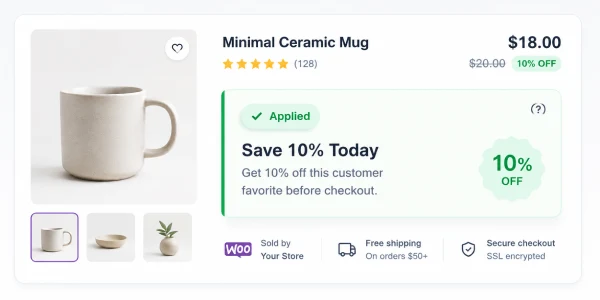
Product page with offer card
Bulk Pricing Table
FreeA quantity-based pricing table on bulk discount product pages showing each tier, the required quantity, and the discounted price.
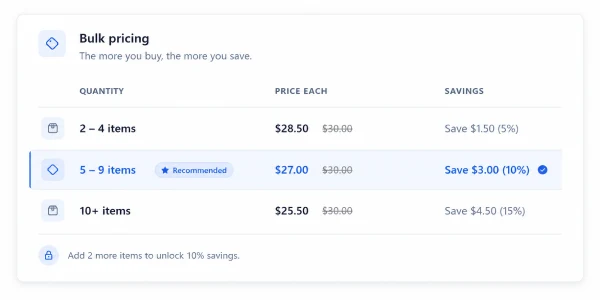
Shop page with bulk pricing table
Strikeout Pricing
FreeOriginal price shown crossed out next to the discounted price on product pages, category pages, and in the cart.
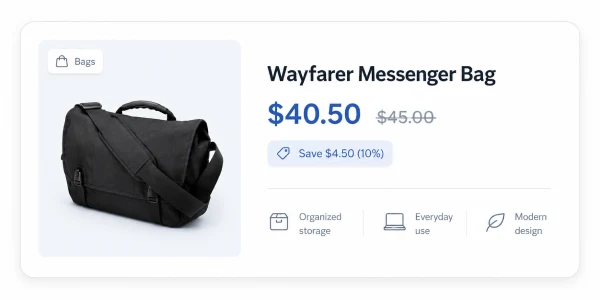
Strikeout pricing on product page
Cart Banner / Progress Bar
ProA cart banner that turns a discount threshold into a visible goal — how much more the customer needs to spend to unlock a cart discount or free shipping-style reward.
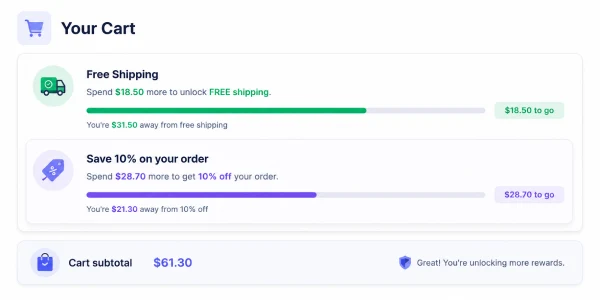
Cart progress bar banner
BOGO Reward Card
ProA reward card on the Buy X Get X or Buy X Get Y product page explaining what the customer receives, which quantity qualifies, and why the reward is worth adding to cart.
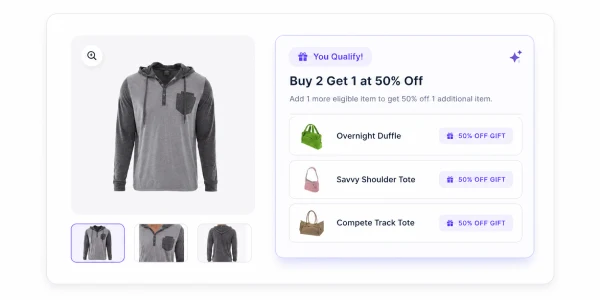
BOGO reward card on product page
Countdown Timer
ProA countdown timer on product pages creating urgency for time-limited promotions. Synced to the promotion schedule.
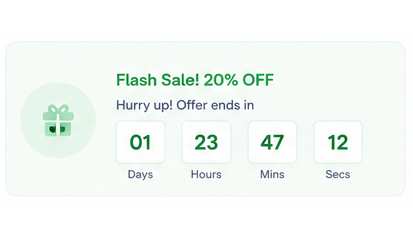
Countdown timer on product page
Savings Message
ProCart and order line item savings messages showing customers exactly how much they saved, making the value of the applied promotion visible.
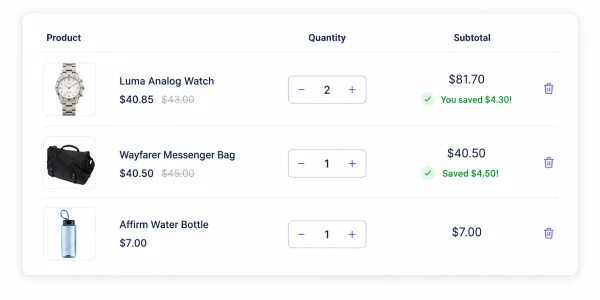
Savings message in cart
Order Reward Voucher
ProPost-purchase reward coupons displayed on the thank-you page and included in WooCommerce order confirmation emails so customers have a reason to return.
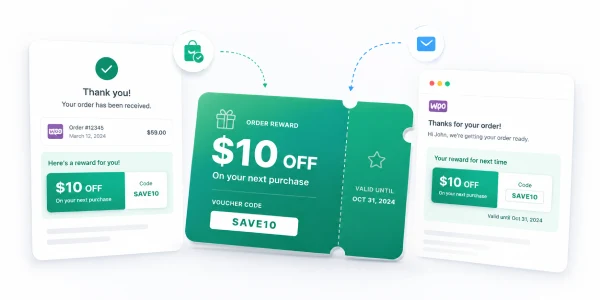
Order reward voucher on thank-you page
My Coupons Account Page
ProA dedicated My Coupons section where customers can find earned reward coupons later, including expiry dates and redemption status.
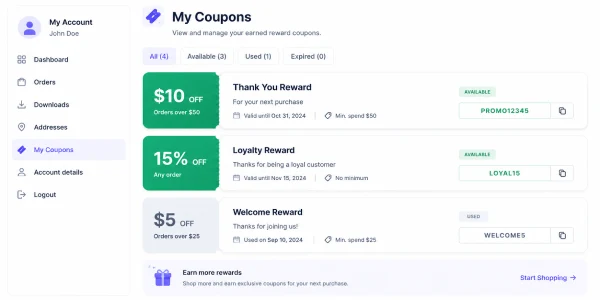
My Coupons account page
Quick Answers
What Merchants Should Know
Short answers to help merchants understand availability, use cases, customer experience, and limitations.
Are Offer Display Components Free or Pro?
Product offer cards, bulk pricing tables, and strikeout pricing are Free. Cart progress bars, BOGO reward cards, countdown timers, savings messages, order vouchers, email vouchers, and My Coupons are Pro.
What problem do Offer Display Components solve?
They make promotions visible where shoppers make decisions instead of hiding the value until checkout.
When should a merchant use Offer Display Components?
Use them whenever customers need to understand what qualifies, what they receive, how much they saved, or where to find earned rewards.
What does the customer see?
Customers may see product offer cards, bulk pricing tables, strikeout prices, cart progress messages, BOGO reward cards, savings messages, vouchers, and My Coupons.
Do Offer Display Components guarantee conversion?
No. They improve clarity and visibility, but they do not guarantee conversion, revenue, profit, or sales growth.
FAQ